How to Browse Online Casinos Australia on a Mobile

Mobile browsing makes it easy to compare casino sections, read terms and manage an account while away from a computer, but a small screen can hide important details. For Australian adults considering southeastasiaimages.com as an informational reference, the practical question is not simply whether a site opens on a phone. It is whether the pages remain readable, the navigation is clear, the connection is secure and the operator’s conditions are easy to check. Herospin offers browser-based mobile access, so the following approach focuses on making that experience more deliberate and less error-prone.
Start by checking the mobile browser experience
Open the operator’s official website in the phone’s standard browser rather than searching immediately for an app. A mobile-friendly page should resize cleanly, keep text legible and allow important controls to be reached without repeated zooming. Check whether the menu opens properly, whether account pages load consistently and whether buttons remain visible when the phone is held vertically. These basic checks are more useful than judging a site by its promotional banner alone.
Mobile browser access is different from a native application. The available information indicates that the service can be used through a smartphone browser but does not provide a dedicated iOS or Android app. That distinction matters because an app-store listing or an APK download found elsewhere should not automatically be treated as official. Avoid installing files from unfamiliar sources, particularly when they request unusual permissions or redirect to unrelated pages.
It is also worth testing the site on both Wi-Fi and mobile data before relying on it. A page that works at home may behave differently on a congested network. Notice whether menus, game thumbnails and account forms load without freezing, and whether the browser displays a secure connection indicator. These checks do not confirm licensing, fairness or suitability, but they can reveal practical problems before personal details are entered.
Use the lobby without losing your place
A crowded mobile lobby can encourage rapid scrolling, so use its categories to narrow the display. The available sections include popular and new titles, pokies, table games, instant games, live games, jackpot areas, Megaways and bonus-buy categories. Treat these labels as browsing tools rather than recommendations. Popularity does not establish better odds, and a “new” label says nothing about whether a particular game suits your budget or preferences.
When comparing a few titles, open each one separately and read the information shown before moving on. Look for the game rules, paytable, stake range and any explanation of bonus features. If the text is difficult to read on a phone, rotate the screen or use the browser’s zoom function rather than guessing. A short demonstration can show how a game operates, but it cannot prove future results, return or volatility.
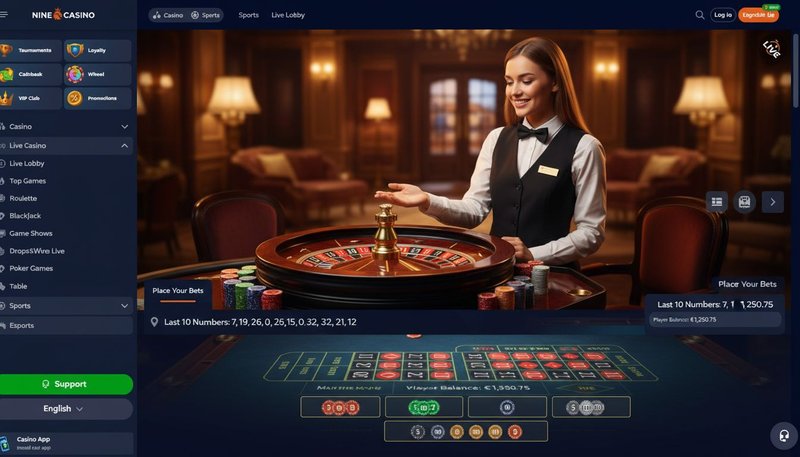
Live sections need an extra pause because tables may appear more immediate than standard casino games. The mobile lobby may separate roulette, blackjack, baccarat, game shows and other live formats, while table counts and availability can change. Check whether the title is live dealer, automated or virtual, and confirm the displayed rules before selecting it. Keeping only one or two tabs open can also reduce mistaken taps and accidental navigation.
Read conditions before tapping an account button
Small screens often place registration, promotion and account controls close together. Before completing a form, read the operator’s current terms in full, especially where a bonus-selection screen appears before personal details. A promotion can affect wagering, withdrawal eligibility, maximum bet rules and expiry dates. Choosing “continue without a bonus”, where that option is presented, may be relevant for someone who wants to avoid promotional conditions.
Use accurate information that matches identity and payment details. The stated registration process may request a name, date of birth, country, address, phone number, email and password. Typing these details on a phone increases the risk of autocorrect errors, so review every field before submitting it. Inconsistent information can lead to additional checks later, particularly if identity or payment ownership must be confirmed before a withdrawal.
Do not assume that an Australian-facing page is Australian-regulated. The available information describes the operator as offshore and not regulated by Australian gambling authorities. Australian interactive gambling rules and state or territory restrictions remain relevant, so readers should make their own legal and suitability checks rather than treating mobile availability as approval. For broader online-safety habits, consult Australia’s official cyber-safety guidance, particularly before entering passwords or personal information.

Protect a phone used for casino browsing
Use a strong, unique password for the account and avoid saving it in a shared browser profile. A password manager can reduce typing mistakes without requiring the same password across several services. Never give a password, recovery code or one-time security code to another person. If the site offers a password-reset function, use the registered email or phone details carefully and check junk folders for legitimate recovery messages.
Phone security matters as much as website security. Keep the operating system and browser updated, use a screen lock and avoid entering account details on public devices. Public Wi-Fi is not automatically unsafe, but it is sensible to avoid unfamiliar networks for sensitive account changes. Check the web address before signing in, especially after following an advertisement, message or search result, and close pages that produce unexpected download prompts.
Notifications and autofill can expose information when a phone is shared. Review whether passwords, addresses or payment details are being inserted automatically, and disable features that you do not understand. A browser’s private mode may reduce local browsing history, but it does not make a user anonymous or replace account security. If the phone is lost, change important passwords from another trusted device and contact the relevant provider promptly.
Know when mobile access is the wrong option
A phone is convenient for checking a lobby, reading a term or reviewing an account message, but it is not always the clearest environment for detailed decisions. Long bonus conditions, verification requests and payment information may be easier to inspect on a larger screen. If text is truncated, pop-ups cover the page or the connection repeatedly fails, stop rather than accepting conditions you cannot properly read.
Mobile browsing can also make time and spending less visible. Notifications, quick loading and one-handed navigation may encourage impulsive decisions, especially when switching between casino and live sections. Set a personal time limit before opening the site and avoid browsing while distracted, travelling or affected by alcohol. Do not treat gambling as an income source, and never increase stakes to recover earlier losses.
Finally, separate website convenience from account-control quality. The available review material did not identify deposit, loss or session limits or a dedicated self-exclusion feature in the account area, while support responsiveness may vary. Check the current help pages and account controls yourself. If those controls are not adequate for your needs, do not rely on browser convenience as a substitute for stronger safeguards.
Mobile browsing questions answered
Is browser access the same as having a mobile app?
No. A responsive website opens through a browser, while a native app is installed from an official store or verified source. The available information supports browser access but does not establish a dedicated app. Treat third-party APK files and unfamiliar app listings cautiously, and do not install software simply because it uses the operator’s name.
Can a mobile site prove that an online casino is safe?
No. Smooth menus and fast loading only describe the browsing experience. They do not confirm licensing, game fairness, payment reliability or legal availability. Check the operator’s current terms, regulatory position and account controls separately, and avoid entering personal or payment information until you understand who operates the service and what conditions apply.
What should I do if the mobile page will not load?
Check the web address, update the browser, switch between trusted Wi-Fi and mobile data, and close unused tabs. Do not download an unofficial app to bypass the problem. If login or recovery remains unavailable, use the operator’s stated support route, avoid sharing credentials and wait until the connection and page identity are clear.